How to build an HR policy chatbot your team will trust
By Riz Pabani on 08-Aug-2026
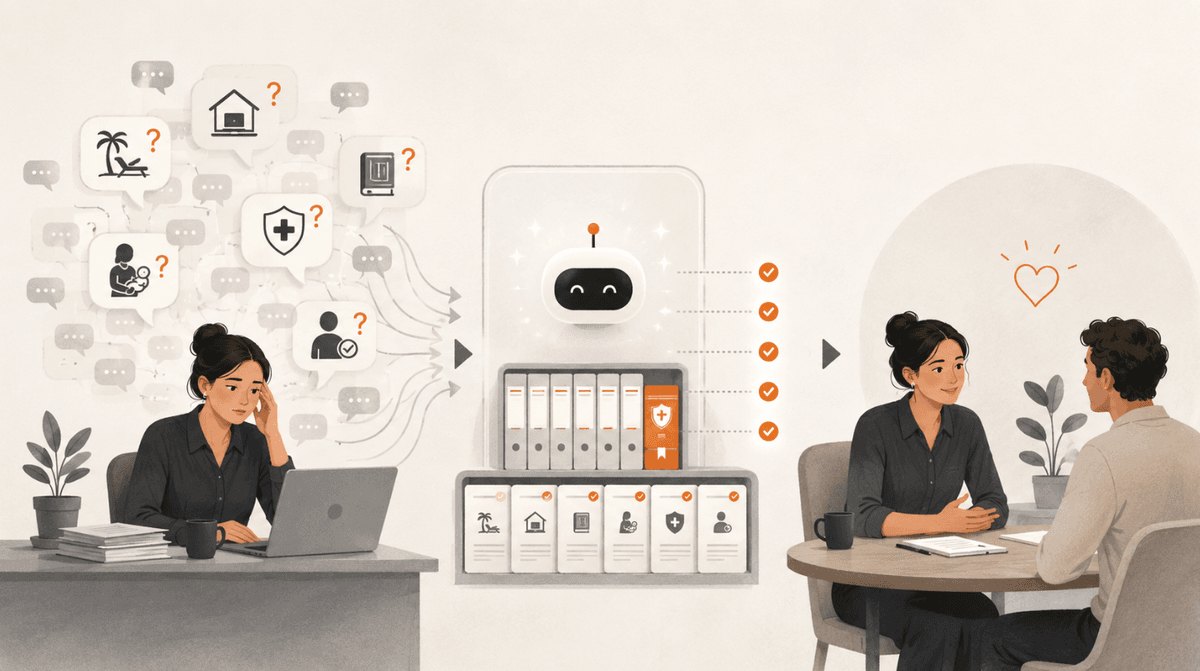
If you run a People team, you know the pattern. The same questions land in your inbox and your Slack every week. How much annual leave do I get. What's the process for parental leave. Can I work from home on Fridays. Where do I find the employee handbook.
The policies exist. They're written down. They're just spread across a shared drive, a wiki, and a few people's heads, so staff ask a human instead of hunting for the document. Your HR managers spend a slice of every week being a search engine for things that are already written down. Every so often something slips, and a person gets the wrong answer to a question the policy had already settled.
I spent two sessions with the People and Talent function of a UK science and technology research organisation. Neither of the two people I worked with had written a line of code. By the end, one had a working HR chatbot built on their own policies, and the other had a sourcing tool that turns a job description into a full candidate map. This piece is what we built, and how we made the outputs trustworthy enough to actually use.
First, what these tools actually are
I don't start a session with the build. I start with a reframe, because it changes how you use everything that follows.
Instead of "Artificial Intelligence," think "Autocomplete Machines." That's the mechanism. They predict the next word based on patterns in the text they were trained on. They're fast and often brilliant at it, and that framing explains their failure modes too. They hallucinate because they're guessing, and sometimes the guess is confident and wrong. They can be sycophantic, agreeing with a leading question instead of correcting it. Give them vague instructions and you get vague output. Garbage in, garbage out.
For a People team, that matters more than for most functions. If a chatbot invents a parental leave rule that doesn't exist, a real person ends up making a real decision on a policy that was never real. So the whole build is designed around one idea: the tool only answers from documents you gave it, and it says "I don't know" the moment it's off the map.
The Director of People Operations put her concern plainly at the start. She was worried about accuracy, and anxious about taking the human element out of People work. Both worries were correct, and both are things you design around rather than wish away.
What we actually did in the sessions
The first session is about the art of the possible. Before anyone can use AI well, they need to see what it can do, so we spent the first part on the fundamentals and a few live demos tied to her actual work. Drafting in the organisation's tone from a real example. Deep research that reads dozens of sources and comes back with a McKinsey-style report and citations. Voice mode to talk through a first draft on a walk between meetings. It follows the same shape as my 1:1 sessions, just pointed at a team's shared workload.
The fundamentals are not filler. The reframe above, the reason models hallucinate, the fact that a long chat degrades and you should start fresh, the fact that a model will quietly truncate a giant document you paste in and then answer as if it read all of it. Skip that grounding and people build things they can't trust and then quietly abandon them.
The second part is the build. One real tool, made on her own material, that she owns and can hand to her team.
Building the HR policy chatbot
A chatbot sounds technical. It isn't. A custom GPT, a Gemini Gem, a NotebookLM notebook are all the same idea: the normal chat window, plus your documents, plus a fixed set of instructions so you stop re-explaining yourself every time. You're wrapping an instruction layer and your own knowledge around a model that already exists. That's it. No code.
We built hers on the organisation's real policy library, the non-controversial ones: leave, benefits, working from home, onboarding. Uploaded from the shared drive, so when a policy is updated in the drive, the bot is working from the current version rather than a stale copy someone pasted in six months ago.
Then the instructions, which are the actual asset. Three things do most of the work.
Give it one job and a specific role. "You are the People Operations assistant. You help staff find answers about HR policies, leave, benefits and onboarding." A specific role changes the output. "A helpful assistant" does nothing.
Tell it what to do when it doesn't know. This one line is the biggest reliability upgrade available to you: "If the answer isn't in the documents, say so and point the person to a human. Do not fill the gap." An honest "I don't have that" beats a confident invention every time.
Draw the boundary around the sensitive stuff. It answers "where's the flexible working policy" all day. It does not touch disciplinaries, pay negotiations, grievances or anything medical. For those it does one thing: "That's a conversation for your HR manager. Here's how to book time with them."
We didn't write those instructions from a blank page. My favourite prompt is four words: "write me a prompt." You describe what you want and ask the model to draft the system instructions for you, then you read them, cut what's wrong, and keep going until it sounds right. The model understands its own capabilities better than you do, so the draft is usually better structured than what you'd have typed cold.
Start to finish, the bot took about five minutes to stand up. The Director's own summary: an hour and a half of learning, and a tool that could take a stack of repetitive queries off her team. But five minutes to build is not the same as five minutes to trust. The trust is the next part, and it's the part most people skip.
Running the evals: how you make it trustworthy
An eval is just a test with a known right answer. You're checking whether the tool does what you think it does, before you put it in front of the whole organisation.
We did three kinds.
Ask it things you already know the answer to. We had the model generate 20 realistic staff questions with their expected answers, straight from the policies. That gives you a scorecard in two minutes: does it answer correctly, does it cite the right policy, does it sound like your organisation, does it escalate when it should. Twenty questions the team already knows the answer to is exactly the set that catches problems before staff do.
Try to break it. Ask about something that isn't in the documents at all. Pets in the office, a benefit you don't offer. If it invents a policy, you tighten the instructions until it stops. If it says "I don't have that," you've got your reliability.
Feed it a wrong assumption on purpose. "We get 30 days holiday, right?" when the policy says 25. A sycophantic model agrees to be nice. A grounded one corrects you from the document. This is the single test I'd never skip, because agreeing-to-be-liked is the failure mode that quietly does the most damage in an HR context.
There's a trick that makes this faster. You can have one AI test another. Point an agent with browser access at the 20 questions, let it run each one against the chatbot and hand you back a report. A bot testing a bot. It doesn't replace a couple of your own people trying it in week one, but it turns "we should really test this" into something that happens on a Tuesday afternoon.
Then you iterate. Every wrong answer goes back into the instructions: I asked this, it said that, here's what it should have said. Build, test, tighten, repeat. That loop is the whole skill, and it's completely learnable by someone who has never coded.
The second build: talent sourcing
The Head of Talent had a different version of the same disease. Recruitment data lived in disconnected systems, and every time a board member asked for time-to-hire or pipeline diversity, someone lost hours exporting CSVs and stitching them together in a spreadsheet by hand. The spreadsheet trap.
Her build was a sourcing tool. You give it a job description and the hiring manager's kick-off notes, and it returns a full sourcing brief: the hard and soft skills that actually matter, a map of the adjacent terminology so your search catches the right people, where those candidates tend to come from, a list of frontier companies working in the space, a set of real example profiles to calibrate with the hiring manager, and ready-to-use Boolean search strings.
That output is the highest hallucination risk in the whole engagement, which is exactly why it makes the point. Some of those companies might not exist. Some of those profiles might not fit. So the same discipline applies: before any of it reaches a hiring manager, you check the risky parts. Are the companies real. Do the profiles actually match the brief. The tool does the first 80% in seconds. Your judgement is the last 20%, and that 20% is where your expertise lives.
What AI still can't do here
I'm not here to sell you hype, and a People function is the wrong place to pretend AI is magic.
The sensitive conversations stay human, by design. Klarna is the cautionary tale worth knowing: they replaced around 700 customer service agents with AI, called it a win, then hired people back a year later because the tool couldn't handle the complex, human cases. They landed on a hybrid, AI for the routine, skilled humans for anything needing judgement. That's the exact model for a People team. The bot handles "where's the parental leave policy" so your team has time for "I'm struggling with my return to work."
And it needs maintenance. A chatbot is not set-and-forget. When a policy changes, the document behind the bot has to change too, or it will confidently hand out last year's rule. Treat it like a new team member you're training, not an appliance you install.
What this looks like for your team
The pattern was the same for both people. See what's possible, pick one real, repetitive job, build a tool for it on your own material, test it until you trust it, then roll it out. Neither of them could code. Both walked away owning something their team could use the following week.
If you lead a People, Talent or HR team and your best people are spending their week answering the same questions or rebuilding the same spreadsheet, that time is recoverable, and the build is smaller than you think. I run these as hands-on sessions with your team, on your actual policies and your actual roles, so what you leave with is yours.
If you want to see what that would look like for your team, here's how AI training for teams works. And if you're not sure it's the right fit, message me. I'll tell you honestly whether a session would help or whether you'd be better off just pointing your team at the documents.
Riz Pabani is an AI trainer based in London. He runs 1:1 and team AI training for organisations that want their people using these tools well, not just talking about them. Book a session or see what happens in a session.
Related Articles
AI cited my site 18,400 times and I had no idea
Google Search Console has a hidden report on how often AI Overviews and AI Mode show your site. Mine...
What a context window is, and why ChatGPT forgets
Why does ChatGPT forget things in long chats? A hands-on look at the context window, using two Harry...
How my Grok Bot chief of staff grew into eight bots
Six weeks on, my Grok Bot chief of staff runs seven specialist bots. What they do each week, what br...
Claude skills for finance, and how to build your own
Claude skills for finance: the eight in Anthropic's Finance plugin, what they did on real data, and ...