Claude skills for finance, and how to build your own
By Riz Pabani on 01-Oct-2026
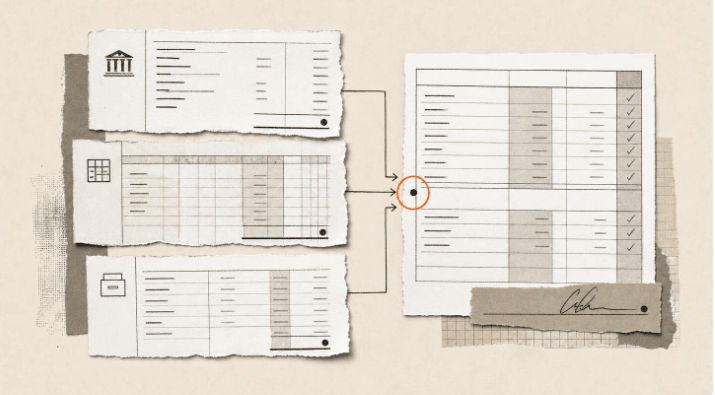
Most people open Claude, paste in some raw numbers and ask it to write an analysis.
Then next month arrives. Same bank export, same general ledger extracts, and you start typing the same prompts from scratch.
If that's you, you're using Claude like an autocomplete machine with a chat window. You rebuild the workflow every time you sit down. Claude skills fix that. Below are the eight Claude skills for finance that Anthropic already ships, what two of them produced on real data, and how to turn your own month-end routine into a skill with one sentence.
What a Claude skill actually is
A skill is a saved workflow that lives inside Claude. It's a folder holding a set of instructions and, often, a few scripts that do the fiddly parts reliably.
The instructions tell Claude when the skill applies, how to process the data and which checks to run before it hands anything back. You can call a skill by typing / and its name. Or you can leave Claude to pick it up on its own when a task fits.
The difference shows up in month two. A prompt has to be retyped, and it relies on you remembering every check. A skill runs the same checks in the same order every time, which is what you want from anything that touches a ledger.
The Claude skills for finance already in Claude
Anthropic publishes a free Finance plugin for Claude Cowork. Install it and you get eight skills, which fall into three groups.
For the month-end close:
/close-managementplans the close calendar, sequences tasks and their dependencies, and tracks status./journal-entryand/journal-entry-prepprepare accruals, prepaids and payroll entries, with the debits, credits and supporting documentation./reconciliationcompares GL balances to sub-ledgers, bank statements or third-party data, and identifies the reconciling items.
For reporting:
/financial-statementsproduces the income statement, balance sheet and cash flow with period-over-period comparison./variance-analysisbreaks variances into drivers, with a narrative explanation and a waterfall.
For controls:
/audit-supportcovers SOX 404 control testing: methodology, sample selection and documentation standards./sox-testinggenerates sample selections, testing workpapers and control assessments for quarterly or annual testing.
Here's what two of them did on real data.
Reconciliation on a messy month
Financial data rarely agrees on the first pass. The bank statement shows one figure, the general ledger shows another, and the sales sub-ledger has its own version of the truth.
You give /reconciliation an Excel file with tabs for the GL, the sub-ledger and the bank statement. Then one short prompt: reconcile the balances for the latest period and identify every variance.
When I ran it with a client on their June 2024 numbers, the starting ledger variance was £3,287. The skill broke that into its actual causes: unrecorded bank charges, a missing settlement entry, and a refund that hit the bank but never made it into the books.
It also flagged items that had sat unresolved for over 100 days, so they could be escalated instead of rolled into next month's work paper. The output was an Excel work paper with proposed adjusting journal entries and a sign-off tab.
That last part matters more than it sounds. A reviewer can check proposed journals line by line. Nobody can sign off a paragraph of chat.
Audit support on a bank data set
Getting the numbers to tie is half the job. You still have to document whether the controls around them hold up, and that's where most of the week disappears.
/audit-support tests a data set against the core assertions (existence, completeness, accuracy) and grades each finding by severity. I ran it with a client on a commercial bank data set, and it caught:
- A manually overwritten expense total and a formula error overstating deposits. Both flagged as material weaknesses.
- Incomplete formulas and unconfirmed revenue spikes, flagged as significant deficiencies.
- Inconsistent terminology across tabs, flagged as a standard finding.
It then wrote a formal findings memo with quantified impact, root cause and remediation steps for each item. The kind of document you could put in front of an audit committee after a proper review.
The honest caveat: the skill finds what its checklist tells it to look for. A control that isn't on the list won't get tested. Someone who knows the business still has to decide what goes on the list.
Build your own skill in one sentence
The plugin skills follow a textbook process. Your firm's process has its own quirks: the account that always needs a manual adjustment, or the board pack layout the chair insists on.
You don't need to write a skill from scratch to capture that. Do the task once in Cowork, with Claude, properly. Correct it as you go until the output is right. Then type:
Claude, save this as a skill.
Claude uses its built-in skill-creator to turn the conversation into a skill. The steps you took, the checks you insisted on and any scripts it wrote along the way all go into it. Next month you drop in the new file and call the skill by name.
I walk through the whole method, from the first rough run to testing the skill in a fresh chat, in how to create Claude Cowork skills by doing the work first.
One catch. From what I've seen, this only works if Cowork is enabled on your Claude subscription. If you can't see the Cowork tab in the desktop app, sort that out first.
Here are two workflows the plugin doesn't cover, and what they looked like once they were built.
An interactive dashboard in a single file
Spreadsheets work for the person who built them. For everyone else who just wants the numbers, they're clumsy. Turning numbers into something visual usually means brittle Excel charts, or a request to the BI team that comes back three weeks later.
Ask Claude to turn a raw data set into one self-contained HTML file, get it right once, and save it. I built this with a client on 168 monthly department records. The result was a browser app with:
- Five KPI cards along the top, each with an automatic year-on-year comparison.
- Department and date filters that update every chart.
- Paginated detail tables at the bottom.
The data is embedded in the file itself. It opens in any browser with no server and no database connection, so you can email it straight to an executive.
Check one thing before you hit send. Everything in the data set travels with the file, including the rows the filters hide. Strip out anything the recipient shouldn't see first.
A board deck built from the source numbers
Pulling numbers out of a spreadsheet, pasting them into PowerPoint, then re-checking every figure the night before a board meeting is a recipe for quiet panic. If a figure on slide 4 contradicts a chart on slide 11, the room stops listening to anything else you say.
Build the deck with Claude from the source data once, then save the process. With a client's quarterly performance data, it produced a 15-slide deck with:
- An executive summary explaining the gap to budget as deliberate investment.
- Eight quarters of trend analysis with P&L totals that match.
- Category breakdowns showing which units drove growth and which hit supply problems.
- Specific approval asks on the closing slide.
Because the deck is generated from the source numbers, the totals and variance signs tie back to the raw data. Nobody retyped anything, so there's nothing to mistype.
How to start
You don't need to write any code to try this.
Start in Claude Cowork, in the Claude desktop app. If you haven't set it up yet, my Claude Cowork setup guide walks through it. Then install Anthropic's Finance plugin from the plugin directory under Customize.
Run /reconciliation against a rec you've already signed off. That way you can mark its work against yours before you trust it with a live one.
Next, pick the workflow you repeat most. For most people I work with, that's a monthly rec, a variance commentary or the board pack. Do it once with Claude, fix what it gets wrong, and save it as a skill.
Garbage in, garbage out still applies. A skill saved from a sloppy run will repeat that sloppy run every month, very reliably. Get the first one right.
One more thing. Where your ledger data is allowed to go is your firm's policy call. Check it before you upload a live extract.
What changes when skills do the execution
You stop spending afternoons mapping line items, re-checking formulas and pasting tables into slides. The skills handle the repetitive sequence.
Your job becomes reviewing what comes out and deciding what it means. That's a far better use of a qualified accountant than tying out a bank rec.
Build yours in a session
This is what I do in co-work sessions. We pick the repetitive, multi-step workflow that eats your week and build the skills to run it, live, on your own data.
If you want to see how that works on your numbers, book a 1-2-1 co-work session (£699, 90 minutes) or read what actually happens in a session. If it's for a whole team, there's AI training for teams.
Not sure whether it's right for you? Message me. I'll tell you honestly.
Related Articles

AI cited my site 18,400 times and I had no idea
Google Search Console has a hidden report on how often AI Overviews and AI Mode show your site. Mine...
How my Grok Bot chief of staff grew into eight bots
Six weeks on, my Grok Bot chief of staff runs seven specialist bots. What they do each week, what br...
How to create Claude Cowork skills by doing the work first
Build Claude Cowork skills that work first time. Do the task once, correct it, then have Claude pack...
How to cut AI costs with a model router
Most people run every task through one expensive AI model. A model router sends easy work to cheap m...