

What Codex Actually Is (And Why It's Different)
If you've used ChatGPT in a browser, you've had a conversation with AI. Codex is different. It's an AI that does the work on your computer — in your files, with real tools, even in your browser.
It works in a folder.
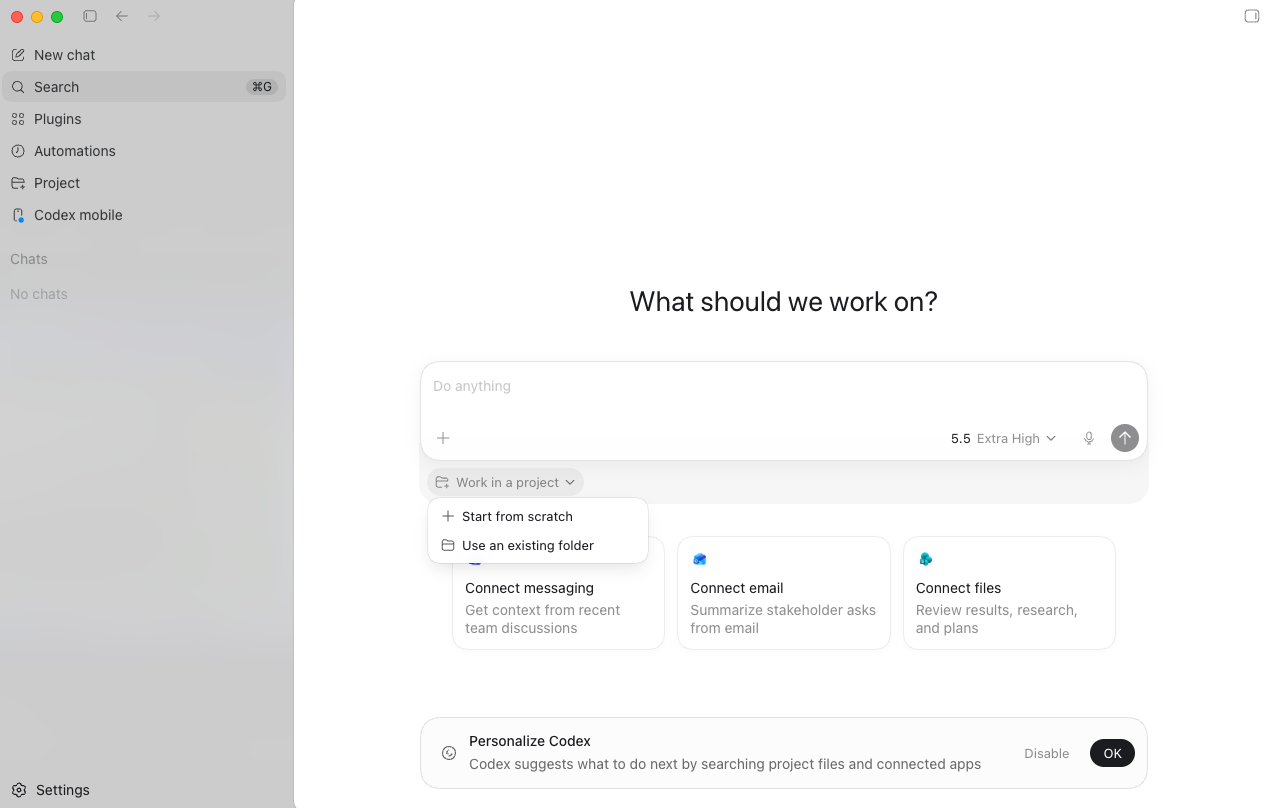
You point Codex at a folder — start from scratch or use an existing project — and it works inside it. It reads your files, writes new ones, and can pull in context from your email, messages, and connected apps. That folder becomes its workspace.
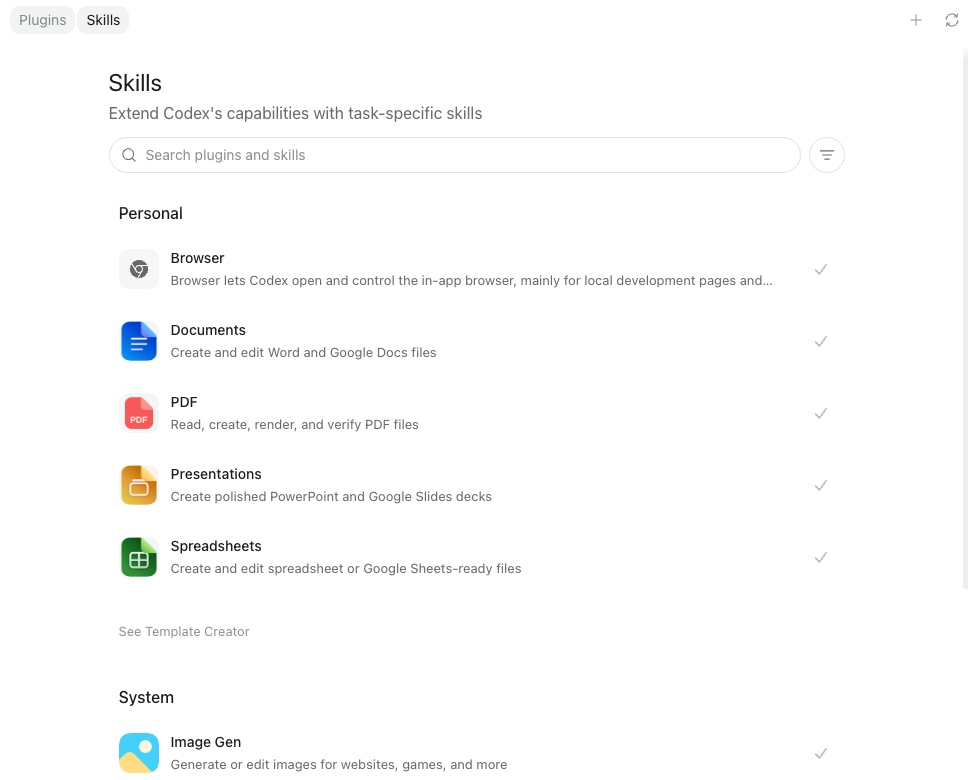
It has skills built in.
Documents, PDFs, presentations, spreadsheets, image generation, browser control — all built in. You don't install plugins or configure anything; you describe what you need and Codex picks the right skill. And for the tasks you do over and over, you can create your own skills, so Codex handles them the same way every time.
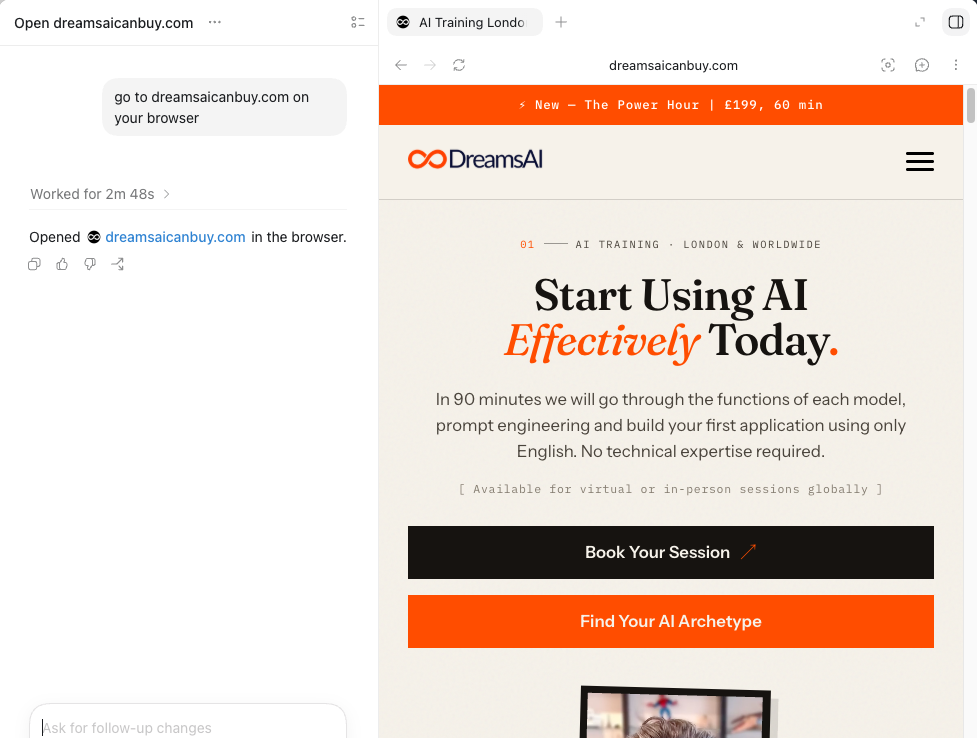
It uses your browser.
This is the part that makes people sit up. Codex can open a browser, go to a site, read what's there and act on it. Here it's opening a live website on its own — no copy-paste, no exports, no switching between six tabs.
What You Can Actually Build With It
Automate the Boring Stuff
The repetitive jobs you do every week — reformatting spreadsheets, renaming files in bulk, pulling data from one place and putting it in another. Describe it once and Codex writes a script that does it in one click, forever.
Build Internal Tools
The small dashboards, calculators, and admin tools that never make it onto a developer's list. The ones you'd normally pay for or just go without. Codex builds them in an afternoon, not a quarter.
Clean & Crunch Data
Point it at a messy CSV, a folder of reports, an export you dread opening. Codex writes the code to clean it, merge it, and pull out the answer you actually need — with real numbers, not vague summaries.
Prototype an Idea Fast
Got an idea for a tool, a landing page, a quick app? Describe it and watch a working version appear. The cost of building small software has dropped to almost nothing. Most people haven't noticed yet.
Fix & Extend What You Have
Already have a spreadsheet, a script, or a site that's almost right? Codex reads what's there, understands it, and makes the change you ask for — without you having to learn the whole thing first.
See It In Action: Record & Replay
This is one of the features that makes Codex click for non-technical people. You show it a recurring task once — filing an expense report, submitting a time-off request, pulling the same weekly numbers — and Codex turns that demo into a reusable skill.
The skill is inspectable and editable, so you can see exactly what it does and change it. And you decide when recording starts and stops, so nothing gets captured that you don't want captured. Show it once, reuse it forever — exactly the kind of thing we'll set up together in the session.
What You Walk Away With
- A recording and transcript of everything we covered, searchable and bookmarkable.
- Post-session notes with Codex tips, your AGENTS.md file, and references to everything we built.
- Codex installed and configured on your machine, with a real tool or two you built in the session and can use immediately.
- An open line. After the session, you can message me anytime with questions.
It's quite amazing what is possible today. I don't think I appreciated how far along the technology is already beyond basic ChatGPT.
How the Session Works
We spend 90 minutes on a call — Google Meet or in person in London, your choice.
Setup
I'll walk you through installing Codex (if you haven't already), connecting it to your project, choosing how you want to run it — terminal, editor, or cloud — and understanding what's safe. Takes about 15 minutes.
Build
We pick 2–3 real tasks that match your actual work and build them live. You'll watch me do the first one, then you'll drive. We'll watch Codex make a change, run it, hit a problem, and fix itself — and you'll learn how to describe a job so you get good results, not vague ones.
Customise
I'll create your AGENTS.md file — a personalised context file that tells Codex about you, your project, your conventions, and your rules. This is what turns a generic agent into one that works the way you do. You keep it, you can edit it, and it gets better over time.
Book Your Codex Session
Who This Is For
- Business owners who keep hitting "I'd need a developer for that" — for a lot of it, you don't
- People who've outgrown copy-pasting code snippets out of ChatGPT and want to work inside their actual project
- Founders and operators who want to build their own internal tools, automations, and prototypes
- Developers and teams adopting agentic coding who want a safe, shared way of working
- Anyone paying for ChatGPT who's never opened Codex — it's already included in your plan
Why Not Just Figure It Out Yourself?
You can. Some people do. But most open Codex, give it a vague instruction, get a mediocre result, and conclude it's "not for them." That's not a Codex problem — it's a setup-and-approach problem.
- The difference is the AGENTS.md file. Without one, Codex is guessing. With a good one, it knows your project, your stack, your conventions, and your rules. That takes experience to write well.
- The difference is knowing what to ask for. Most people massively underestimate what Codex can finish on its own — and how to give it a job it can actually complete.
- The difference is 90 minutes vs. three frustrating weekends. I've done the trial and error. You get the compressed version.
Sessions are 90 minutes, run over Google Meet — or in person in London.
That includes installation, configuration, your personalised AGENTS.md file, and 2–3 real tools built live that you can reuse straight away.
Schedule a CallAvailable virtually worldwide or in-person in London.
Not sure if this is right for you? Message me. Tell me what you're trying to do and I'll let you know if a Codex session makes sense — or whether a Claude session, a Cowork session, or a broader personal AI training session would be a better fit.
Frequently Asked Questions
Do I need to know how to code before the session?
No. That's rather the point. Codex is built so you can describe what you want in plain English and let it handle the code. If you've never written a line, we start there. If you're already technical and want to work faster, we start there instead. The pre-session questionnaire tells me your level before we begin.
Do I need a paid OpenAI plan before the session?
No. I have the subscriptions. We'll use mine during the session. Codex is included with ChatGPT's paid plans, starting with Plus at around $20 a month, and there's a Pro tier for heavier use. Afterwards I'll tell you honestly which plan fits how you'd actually use it. Don't buy anything until after we've talked.
What's an AGENTS.md file?
It's a plain text file that lives in your project folder. Codex reads it before it starts work. It holds context about you and your project — what you're building, your conventions, how you want things done, what rules to follow. Think of it as a briefing document for your AI. The better it is, the better Codex performs. I'll write yours with you in the session.
What's the difference between Codex and ChatGPT?
ChatGPT is the chat window you already know. Codex is an agent that works on your actual files. You ask ChatGPT a question and get an answer. You give Codex a job and it does it, running and fixing the code itself. They're both OpenAI, built for different things. I'll show you both so you can see where each one fits.
How is Codex different from Claude Code or Cowork?
They're close cousins. Codex is OpenAI's coding agent, Claude Code is Anthropic's. Both let you describe work and have an agent carry it out. I use both and I'll give you an honest comparison rather than a sales pitch for either. If you specifically want the Anthropic side, I run a Claude session and a Cowork session too. Not sure which you need? Message me and I'll point you the right way.
Is it safe to let an AI agent change my files?
Good question, and the honest answer is: with sensible guardrails, yes. You don't hand an agent your whole business and look away. I'll show you how to run it on a copy, review what it's about to do before it does it, and keep it boxed into the job at hand. Knowing where the brakes are is half of what the session teaches.
Can I get help after the session?
Yes. You get my email. If something breaks or you get stuck, send it over and I'll take a look. I don't do ongoing mentoring at this price, but a follow-up email or two? Of course.