How I Built a CRM With AI in an Afternoon (Using Hermes)
By Riz Pabani on 07-Jul-2026

Most small businesses run their customers out of their own head, and a spreadsheet they half-update. There's a tab somewhere with names in it. There are half-remembered conversations in email. There are promising leads mentioned on a call, proposals you meant to chase, and customers who owe you a decision, an invoice, or a next step.
That was us at Exponential Partners. Our pipeline was real, but it lived across too many places: my memory, Sacha's memory, email replies, meeting notes, Telegram messages, and the occasional document. The problem wasn't that we had no leads. The problem was that the business depended on the two of us remembering which of a dozen live deals needed chasing next.
So we built a CRM with AI inside Hermes. No Salesforce. No HubSpot rollout. No per-seat subscription. No new app for me to log into every morning.
We built a working pipeline CRM as a pair of structured files that Hermes reads, updates, checks, and reports on. I talk to it in plain English. It emails me and Sacha pipeline updates. It processes our replies. And I can message it from Telegram when I want to add or check something. That's the whole thing, and it's what I want to show you here.
Andrej Karpathy put it well: the hottest new programming language is English. You don't always need to write code anymore. You write instructions, and the machine does the building.
What a CRM actually is, and why you might not need the £30-a-seat version
Strip away the sales pages and a CRM is three things. A list of people or companies. Where each deal with them is up to. And the next thing you need to do about it.
That's it. Everything else the big platforms sell you sits on top of those three things, and most of it you'll never touch.
I'm not anti-CRM. If you've got a sales team of ten and deals flying around, buy the proper thing. But a lot of small businesses sign up for a £30-per-user-per-month platform, spend two weeks learning features they don't need, and quietly go back to the spreadsheet by week three. The software wasn't the problem. It was too much CRM for the job.
When you build your own, you're not trying to rebuild Salesforce. You're building the small, sharp thing that fits how you actually work. For us, that meant a CRM that could answer questions like: which proposals are live, who owns each opportunity, what the current tracked pipeline value is, which deals are closed won, which prospects have gone cold, what changed since the last update, and who needs chasing this week.
And, above all, we wanted it to come to us, rather than sitting somewhere waiting to be opened.
I didn't build an app. I built a Hermes workflow.
Here's the bit that surprises people. Our CRM isn't a traditional piece of software. It's a Hermes workflow built around a set of source-of-truth files.
The live pipeline sits in structured JSON files that Hermes can read and update: exponential-partners-pipeline.json and pipeline.json. Those files hold the whole pipeline: the summary numbers, the lifecycle stages, owner totals, deal values, invoiced amounts, notes, and an update log.
The file isn't a random note. It's structured enough for the AI to work with reliably. A typical deal record has a company, an owner, a lifecycle stage, a value, an invoiced amount where relevant, and a notes / next-step field.
Hermes reads those files before doing anything. If I ask about the pipeline, it reads the file. If Sacha replies to an update with new deal information, Hermes reads the current file, updates the relevant records, recalculates the totals, and writes back to the file.
So the CRM isn't "the AI remembering". The CRM is the data. Hermes is the interface, the operator, and the automation layer.
I don't open a CRM. I talk to Hermes. I can say things like:
Add this new company as a lead. I own it. Early stage, value and next step still TBD.
Or:
Move this deal to Closed Won. Sacha says they're now an active customer, with weekly office hours likely starting this week.
Or:
Who's in Proposal and needs chasing?
Hermes reads the files, makes the change, checks the numbers, and reports back.
Could you put a proper interface on top of this, with screens and buttons? Yes. You could ask Hermes or another AI coding agent to build one. But for our pipeline, I haven't needed it. The file is the CRM. Email and Telegram are the interface.
That's the shift. A CRM doesn't have to be an app you log into. It can be a living business file, maintained by an agent.
Why a file, and not just asking ChatGPT to remember
This is the bit that matters most.
You might wonder why you need a file at all. Why not just tell ChatGPT about your clients and ask it later?
Because an AI model is an autocomplete machine. It's a brilliant guesser, and most of the time the guess is right. But it works on probability, which means every so often it will tell you something with total confidence that simply isn't true. You do not want your customer records guessed at.
The file fixes that. The file is the single source of truth, and Hermes' job is to read from it, not to remember it. When I ask "what stage is that prospect at?", Hermes looks it up in the pipeline file. When I ask "what's our tracked pipeline value?", it reads the current summary and deal records. When I ask "who owns that account?", it checks the file rather than relying on memory.
That separation is what makes the system reliable. The clients live as plain, fixed data. The AI is how we talk to that data. Keep those two jobs separate and the thing becomes trustworthy, which is the one thing a CRM has to be.
The one field that makes the whole thing work: the lifecycle stage
If you take one thing from this, take this. The field that earns its keep is the lifecycle stage. Our Hermes CRM uses these stages:
Lead, Qualified, Discovery, Proposal, Negotiation, Closed Won, Closed Lost.
There's also a separate Removed / Deprioritised section for things we deliberately don't want counted as active pipeline.
That one field turns a list of names into a pipeline. Once each company has a stage, Hermes can produce useful answers: show me every live Proposal, how many leads we have, which Discovery opportunities belong to Sacha, the total tracked value, which Closed Won customers haven't been invoiced yet, and which deals moved since the last update.
Without the stage, you've got a contact list. With it, you've got a sales pipeline you can steer. The exact stages matter less than keeping them simple. Ours are designed around how we actually sell.
The build, step by step
The build is less technical than people expect.
The first step was describing the CRM in plain English. Not "build me a CRM", because that's too vague, and a vague instruction gives you a vague system. The instruction needs to be specific about how your pipeline works and what the file should contain. A version of the prompt looks like this:
Create a simple pipeline CRM for [my business].

The CRM should live in a structured JSON file that Hermes can read and update.

Track each company by lifecycle stage:
Lead, Qualified, Discovery, Proposal, Negotiation, Closed Won, Closed Lost.

For each active opportunity, track:
company, owner, value, invoiced amount where relevant, and notes / next step.

Include summary counts and totals for:
total prospects, count by lifecycle stage, count by owner,
total tracked pipeline value, and total invoiced.

Use the file as the source of truth. When new updates arrive by email
or Telegram, update the relevant records, recalculate the totals, keep the
pipeline files synced, and add a dated update-log entry explaining what changed.

When information is ambiguous, do not guess. Ask a clarification question.
That's the important bit. You're not asking the AI to "make a CRM" in the abstract. You're telling it what your CRM means.
Then we gave Hermes the operating rules. For our pipeline, Hermes knows that a proposal update normally moves a deal to Proposal unless there's evidence it's already further along, that pilot spend or an explicit commitment can justify Closed Won, that Discovery is separate from a general Lead, that Closed Lost and Removed items don't count as active pipeline, and that non-GBP values need converting before they go into the tracked total.
One rule matters more than the rest: every update has to preserve the useful notes, not flatten them into generic CRM language. A normal CRM might just flip a deal to "Closed Won" and stop there. Ours records the nuance: phase-one and phase-two pricing, the currency, recurring monthly revenue, agreement status, invoicing status, and what Sacha or I need to do next. The output isn't just a database. It's business memory.
The bit that earns its keep: it emails us every other day
Here's the part nobody selling you a CRM says out loud. The reason CRMs fail isn't usually the software. It's that nobody updates them, and nobody looks at them. A CRM you don't open is just a spreadsheet you feel guilty about.
So we set ours up to come to us.
Every other day, Hermes runs a scheduled pipeline job. In our setup the agent is called Neo. Neo reads the live pipeline files and sends a Pipeline Update email to Sacha and me. It isn't a vague digest. It's table-led and pipeline-only: total prospects, count by lifecycle stage, tracked pipeline value, invoiced total, owner summary, the Closed Won customers, the live Proposals, the Discovery opportunities, active leads by owner, the Closed Lost deals, upcoming actions, and any clarification questions.
A recent update laid the whole book out at a glance: how many prospects we had, how many sat in Proposal, how many in Discovery, which were Closed Won, and the total tracked pipeline value. That's the kind of email that changes behaviour. It doesn't say "remember to do sales". It says, in effect: here are the proposals, here are the customers, here are the leads, here's who needs chasing.
For example, a single update will remind us that one prospect needs chasing because their decision-maker was travelling, another after some renewed activity on their side, a property client still needs their proposal even though the intake form never came back, and an existing bank customer is a live account that still needs a follow-up. That's exactly the sort of thing that would otherwise live in someone's head until it quietly disappeared.
The email has quietly become the agenda for our pipeline meetings. We sit down with it already in front of us, work through each deal in turn, and record the meeting. Afterwards we send the transcript back to the agent, and it updates the deals from what we discussed in one pass. The meeting stops being a thing we have to write up. The write-up is the input.
The CRM updates itself from replies
The email isn't a one-way report. This is the clever part: we can reply to it.
If I reply with a pipeline update, Hermes processes that reply through AgentMail. The reply-processing job checks the inbox several times a day, reads the unread messages, fetches the full message body, and triages the content. It decides whether the update belongs in the pipeline CRM, the separate work/project tracker, or a clarification bucket.
If it clearly belongs in the pipeline, Hermes updates the CRM files, recalculates the counts and values, adds an update-log entry, and replies to confirm what changed. A reply might just say "Add this new company as a lead, I own it." Hermes adds it to the Leads section, updates the total prospect count, updates the owner totals, and records the change in the log. Or Sacha sends an update saying a deal has moved, a client is now active, a value has changed, or a proposal has gone cold.
Hermes doesn't just summarise the reply. It turns the reply into a CRM update. That's the point. Email stops being another place where pipeline information gets trapped. It becomes an input channel for the CRM.
Telegram makes the CRM mobile
I also have Hermes on Telegram, which means the CRM comes with me. Standing in a queue, I can message it: "Add this company as a lead." Or "What proposals should I chase today?" Or "Move this opportunity to Closed Lost and note that they're doing it internally." Hermes reads the pipeline files, answers from them, or updates them on the spot.
That matters because most CRM updates don't happen when you're calmly sat at your desk with twenty minutes blocked out for admin. They happen between calls, after meetings, on trains, or when a thought occurs to you while you're doing something else. If the CRM needs you to log into a web app, find the right record, click edit, and fill out fields, you won't do it. If the CRM is a message to your agent, you probably will.
What's actually running inside Hermes
Here's the concrete version of our setup. There are three main Hermes jobs.
The Pipeline Update job runs every other day at 07:00 UTC. It reads the live pipeline files and sends the table-led update email to Sacha and me.
The Reply Processing job checks the Neo AgentMail inbox several times a day. When there are unread replies, it reads them, works out whether they're pipeline or project updates, updates the right files, replies with a confirmation, and asks clarification questions where needed.
The Project Update job is separate from the CRM. It reads the work-package file and sends a project-focused update on the alternate day. That separation matters. Pipeline is deals. The work-package file is delivery and operations. Mixing them made the old update too noisy, so we split them.
So the pipeline CRM isn't just "a file". It's structured JSON source-of-truth files, Hermes as the operator, Neo as the business-agent persona, AgentMail for sending and reply-processing, scheduled cron jobs, Telegram as the mobile interface, clear lifecycle stages and update rules, and verification steps so the totals and records stay consistent. That's the stack. No CRM app. No dashboard. Just the data, the agent, and the channels we already use.
Before you put a single customer in it: the data question
One honest warning, because it matters and most "build a CRM with AI" guides skip it.
Keeping your customers in a file in your own controlled environment is very different from casually pasting customer data into a free chatbot. Customer data is personal data under UK GDPR. Be deliberate about where it lives, who can access it, and which AI services process it.
The practical version: build and test the structure with made-up data first. Keep the real file somewhere you control. Don't paste sensitive client data into random AI tools. Understand the difference between a free consumer chat product and a configured agent workflow. And make the file the source of truth rather than asking the model to "remember" anyone.
Our setup works because Hermes reads from controlled files and updates them according to explicit rules. The model isn't the database. The file is the database. That distinction isn't pedantic. It's what makes the CRM usable.
Where the DIY version stops
I'd be selling you something if I pretended this replaces every CRM. It doesn't.
A Hermes file-based CRM is brilliant when you're a founder, consultant, small team, or service business that mostly needs to keep a live pipeline straight. It starts to creak when you need lots of users editing records at once, strict role-based permissions, audit trails for a large sales team, complex reporting dashboards, integrations across many departments, or hundreds of active deals at a time.
At that point you may have outgrown it. That's not failure. That's a nice problem. But most small businesses are nowhere near it. They don't need a giant CRM. They need a reliable way to know who exists, what stage they're at, and what needs to happen next. For that, a Hermes CRM is more than enough.
Where to start
If this sounds like the thing your business is missing, the good news is it's very buildable. Start small. Get one source-of-truth file and a handful of lifecycle stages working, then add the email briefing and the "who should I chase?" view once the basics are solid. You don't need the whole stack on day one.
And if you're not even sure a CRM is your bottleneck, that's worth working out first. I'm always happy to talk it through. Message me and I'll give you an honest read on whether this is the right thing to build, or whether your time is better spent somewhere else.
Related Articles
AI cited my site 18,400 times and I had no idea
Google Search Console has a hidden report on how often AI Overviews and AI Mode show your site. Mine...
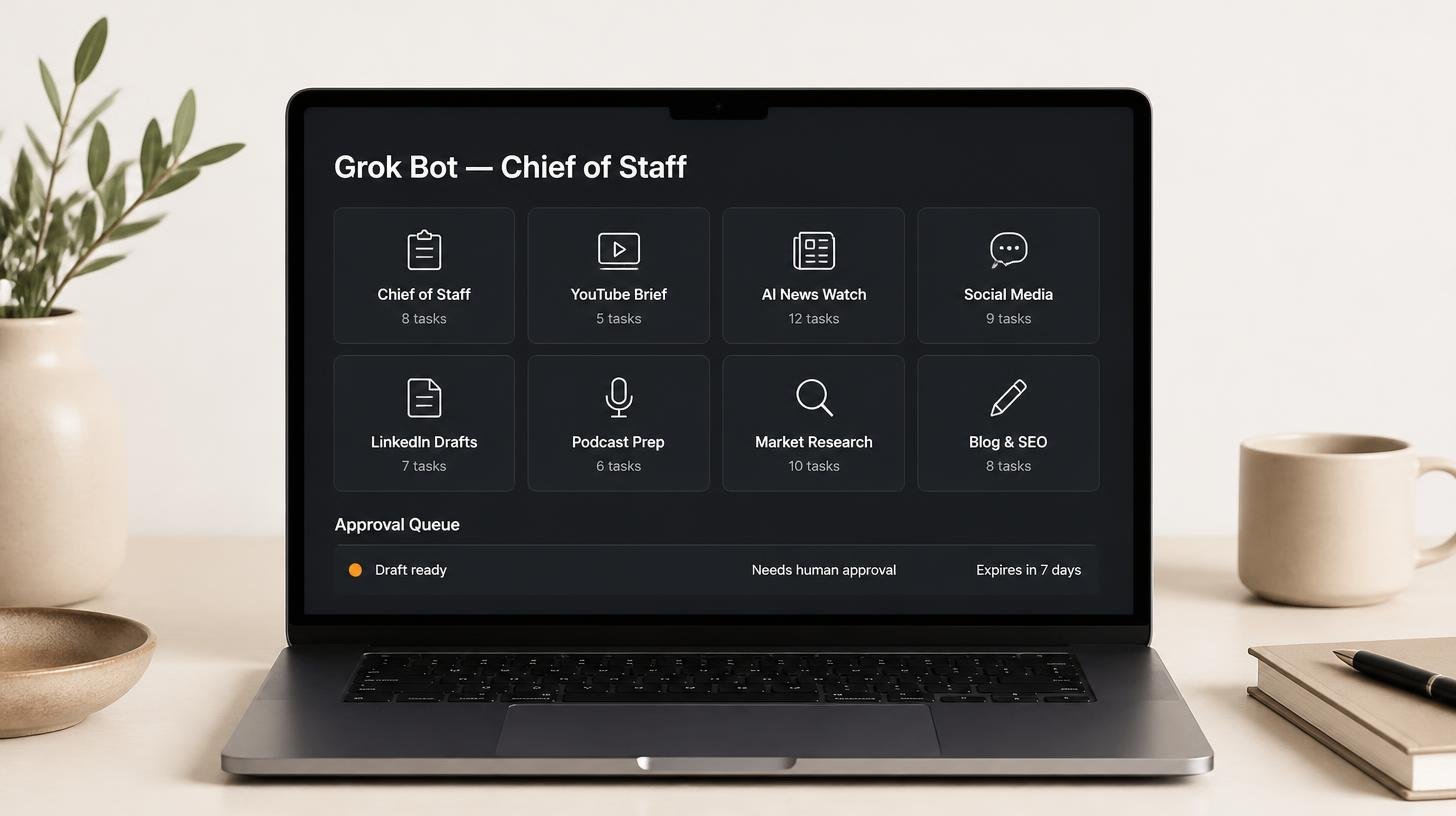
How my Grok Bot chief of staff grew into eight bots
Six weeks on, my Grok Bot chief of staff runs seven specialist bots. What they do each week, what br...
Claude skills for finance, and how to build your own
Claude skills for finance: the eight in Anthropic's Finance plugin, what they did on real data, and ...
How to create Claude Cowork skills by doing the work first
Build Claude Cowork skills that work first time. Do the task once, correct it, then have Claude pack...