Hermes Agent Tips: Configuration, Best Practices & Security
By Riz Pabani on 24-Apr-2026

Hermes Agent tips I actually use every day
Hermes Agent went from zero to 95,000 GitHub stars in about two months. OpenClaw took nine months to do the same thing, and OpenClaw was already the biggest thing in this space. The install guides are everywhere. What nobody writes is the bit that matters after you've got it running.
If you've already installed Hermes and connected it to Telegram (or one of the other 15-ish messaging platforms it supports), this post is for you. If you haven't, go read the setup guide first.
What follows is everything I've learned from running Hermes daily, in the order I'd fix things if I were starting over. Configuration, the learning loop, model choice, the OpenClaw migration path, and the handful of mistakes that cost me a weekend.
Pick a frontier model on day one, or waste your first weekend
The single biggest reason Hermes setups feel broken is model choice. The framework is fine. The model is lying about which tools it has.
Small open-source models will hallucinate tool calls that don't exist. You'll watch the agent confidently try to run a command it invented. You'll assume Hermes is broken. It isn't. The model just can't do structured tool use reliably.
Switch with one command: hermes model. Point it at a frontier API from the start. Anthropic, OpenAI, or whichever frontier model your budget supports. If you want to experiment with local inference later, Gemma 4 26B via Ollama is the current reasonable floor, but don't start there.
The rule is simple. If you're going to put this thing in charge of your inbox, your calendar, or a trading API, you want the model that doesn't make stuff up. Pay for it. You can always downgrade later once you know what the agent is actually doing.
For what it's worth, I run Hermes on GPT-5.5 through the basic ChatGPT API. My Claude Max subscription is fully saturated running Claude Code, so Hermes gets OpenAI. GPT-5.5 is surprisingly solid for agent harness work. Structured tool use holds up, latency is fine, and the cost sits in a sensible place for the workloads I've pointed at it.
The learning loop is the whole point — so prune its skills
Every 15 or so tool calls, Hermes pauses and writes a skill. A markdown file saved to ~/.hermes/skills/ that turns what it just did into a reusable workflow. This is what makes Hermes different from OpenClaw, and it's the feature that compounds over time.
But it will write bad skills too.
Open the folder. Read them. Delete the ones that got it wrong. Edit the ones that are nearly right. The agent on day 30 is only better than the agent on day 1 if the skills it learned were actually the right lessons.
I check ~/.hermes/skills/ once a week. It takes five minutes. I delete maybe two skills and tweak one. After two months of that, the skills folder is a tidy set of procedures the agent runs without me having to re-explain anything.
If you never open the folder, the learning loop still works. It's just learning things you haven't audited.
Rebuild from scratch if OpenClaw burnt you out
Hermes ships a migration command: hermes claw migrate pulls your OpenClaw persona, memories, skills, API keys, and messaging settings across in a few minutes. If you had a clean OpenClaw setup you were happy with, use it. Not much to unpack there.
I didn't. I had two OpenClaw instances running by the time Hermes landed, and I killed both and rebuilt in Hermes from scratch. The honest reason is that OpenClaw had become painful enough that a clean slate felt better than carrying the config cruft across. Broken plugins, half-working scheduled jobs, skills I'd written and then forgotten what they did. None of it was worth importing.
Rebuilding took maybe an hour per agent. I knew what I actually wanted each one to do, which was more than I could say when the OpenClaw setups grew organically over months.
If you're in the same boat, don't feel obliged to migrate. Back up your OpenClaw skills folder somewhere you can grep it, then start fresh. Run hermes doctor if anything feels off in the new install. It diagnoses version mismatches, stale auth tokens, missing dependencies, and gateway config problems before you spend an hour guessing.
Run Hermes AND Claude Code, not one or the other
This is the take nobody wants to hear. Stop comparing them.
Claude Code lives in your repo. It reads your codebase, writes code, runs tests, commits. It's the best coding agent on the market right now for anything involving source control. It's not trying to be a personal assistant.
Hermes lives on your server. It runs scheduled jobs, messages you on Telegram, monitors things, learns from what it does. It's not trying to be an IDE.
I run both. Claude Code handles anything inside a git repo. Hermes handles everything outside one: research, briefings, monitoring, inbox, calendar, automation. They share the same MCP protocol, which means every MCP server you've set up for one works with the other. There's no duplication to worry about.
If you were going to pick one, pick the one that matches your week. If most of your time is in a codebase, start with Claude Code. If most of it is in messaging apps and browsers, start with Hermes. But the real answer is both, eventually.
For the Claude Code side of that story, I've written my Cowork setup tips separately.
Reuse your MCP servers (v0.8.0 onwards)
Hermes shipped native MCP client support in v0.8.0. That matters because it means you don't have to rebuild any of the tool integrations you already have.
Google Workspace connector from Claude Code? Hermes finds it. Database tools? Same. Custom APIs you wrote for Cowork? All working. Hermes auto-discovers MCP servers on the host and wires them in without you doing anything.
One infrastructure investment, two agents. This is the single biggest reason I stopped thinking of Hermes and Claude Code as competing products and started thinking of them as two surfaces over the same tool layer.
If you're coming to Hermes from scratch, the knock-on effect is worth planning for. Whatever you build as an MCP server for Hermes will keep working if you ever want to switch agents again. MCP is doing for agent tooling what USB did for peripherals, and it's worth writing new integrations that way rather than one-off scripts.
Pick the messaging platform you actually check first
Hermes supports 15+ messaging platforms. Telegram, Discord, Slack, WhatsApp, Signal, Email, iMessage, Home Assistant, and more. The temptation is to connect all of them. Don't.
Pick the one you open first in the morning. For me that's Telegram. It has a clean bot API, notifications I actually notice, and a file upload path that works for documents and voice notes. Set it up with hermes gateway setup and ignore the others for two weeks.
If your mornings start in Slack because that's where work lives, use Slack. If it's WhatsApp because that's where family lives, use WhatsApp. The point is to route the agent into a surface you already check on reflex, so you don't have to develop a new habit of opening a new app to see what it's up to.
Add more gateways later, once the first one is paying back. Most people never need more than one.
Give each agent one job, and run more than one
Here's the setup that convinced me Hermes was worth the effort. I run two separate Hermes agents. Each one has a single job.
The first one is a third parent. It reads the newsletters our kids' schools send, and every morning it sends a family message with what we need to know that day. Is it picture day. Does anyone need PE kit. Is there an early pickup. Is the school trip payment deadline today. The schools send roughly eight newsletters a week between them, and before Hermes we were losing half of them in the email pile and finding out about non-uniform day from the child in tears at 8:15am.
The setup was a morning. Point Hermes at the relevant email senders, tell it what kinds of events matter, route the output to our family Telegram. The learning loop has tightened it over a few weeks: it stopped including the generic "Headteacher's weekly update" bits, which we don't act on, and started flagging the short, specific items that actually change our day.
The second agent runs project management and pipeline tracking for Exponential Partners. Different messaging channel, different skills folder, different config. Same Hermes, different instance. Keeping the agents separated means the skills the school agent writes don't leak into how the work agent handles pipeline admin, and vice versa.
The general tip: don't try to run everything through one agent. Hermes is light enough that running two or three instances with clear job descriptions is better than one "do everything" agent that ends up doing nothing particularly well. One agent, one role, and let the learning loop tune each one to the thing it's actually for.
Once you're running two or three, the next question is how they hand work to each other. That's what the Hermes Agent Kanban board is for — a shared task queue the agents claim from and write back to, alongside persistent goals and background tasks. Wire it up last, after each agent is good on its own.
I've got a few more personal Hermes automations running on the side, including the ones that didn't survive week one — but those are a story for another post.
Use the built-in wiki skill to build a knowledge base that maintains itself
Hermes ships with Karpathy's LLM wiki pattern as a built-in skill. Tell it to create a wiki, point it at sources (articles, transcripts, notes, whatever), and it organises everything into interlinked markdown files.
Three layers. Raw sources go in and never get modified. The agent writes and maintains summary pages, entity pages, and concept pages from those sources. A schema file defines the rules so everything stays consistent.
The reason this works on Hermes specifically is the learning loop. Add a new source and the agent doesn't just file it. It checks existing pages, updates anything that changed, adds cross-references, and flags contradictions. After a month of regular use you've got a compounding knowledge base that synthesises what you've fed it, rather than a folder of PDFs you'll never reread.
There are around 640 community skills in the Skills Hub if you want to extend this further. Type /skills inside Hermes to browse them. Most are small and single-purpose. Pick one, try it on a real task, remove it if it doesn't help.
Use the stealth browser for monitoring, not scraping
Hermes ships with Camoufox, a stealth browser that doesn't fingerprint the way normal automation tools do. Sites that block headless browsers tend to run clean through it. Pair it with Firecrawl for structured extraction and you have a monitoring pipeline.
Point it at competitor pricing pages, job boards, news sources, product listings. Hermes handles extraction and change tracking, and it knows what's new versus what it already showed you yesterday. You configure it once, then read a morning diff instead of refreshing tabs.
The line I'd draw is between monitoring and scraping. Monitoring means you're watching a small number of pages for changes, at reasonable intervals, on things you have a legitimate reason to track. Scraping at volume puts you in different legal territory and gets your IP blocked fast. Camoufox is a monitoring tool. Treat it like one.
Keep Hermes on its own user and behind a systemd service
Hermes is powerful because it has real system access. Files, network, shell. That's also why you shouldn't run it as root.
The install script is designed for a normal user account. Create a dedicated hermes user on your VPS, sudo only when you need to, and run the agent under that account. If anything goes wrong, the blast radius is one home directory, not your whole box.
Put Hermes behind a systemd service so it restarts automatically if it crashes or if you reboot the server. The setup guide covers the unit file. Do it on day one. It takes five minutes and saves you from the first time your VPS restarts at 3am and you don't realise Hermes is down until your morning briefing doesn't arrive.
Rotate your API keys. Keep your OpenRouter or Nous Portal keys in the Hermes config, not in shell history. If you're on a shared box, tighten the permissions on ~/.hermes/ so only the hermes user can read it.
Why all of this matters
Hermes looks like another agent harness. Same install command, same messaging gateway, same tool calls. That's the surface. The thing underneath is the learning loop, and the learning loop only pays back if you actually use the agent on the same handful of jobs, over and over, for long enough for the skills folder to fill up.
OpenClaw taught people the pattern. You mess with config, connect a Telegram bot, ask the agent to do something, and it does. Hermes extends the pattern: the second time you ask it the same kind of thing, it's already better at it. The third time, it's tuned to you. The agent you're using on day 30 is a different tool from the one you installed.
Install it. Connect the messaging app you actually check. Give it one recurring job. Let it run for two weeks before you judge it.
If you want to skip the trial-and-error on any of this, my 1:1 training sessions cover Hermes and Claude Code setup start to finish. Live, in the session, on your machine.
Not sure if that's what you need? Message me. I'll tell you honestly.
Riz Pabani is an AI trainer based in London, offering 1:1 and group AI training sessions for individuals and businesses worldwide. About Riz
Related Articles
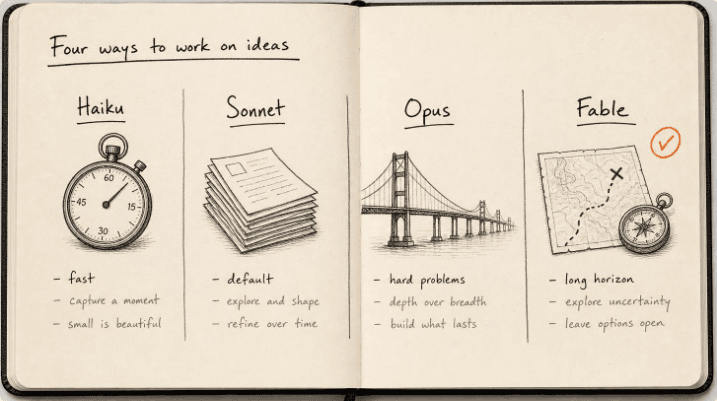
Claude models compared 2026: Fable, Opus, Sonnet, Haiku
The Claude models compared for 2026: what Fable 5.1, Opus 5, Sonnet 5 and Haiku 4.5 each do best, wh...
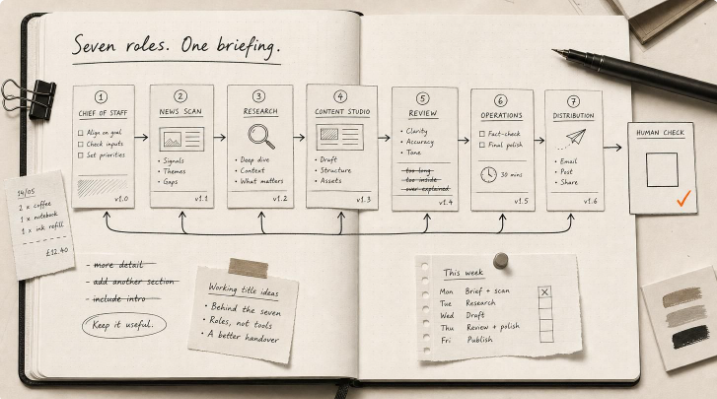
Hermes Agent Bot Mode: how I run a fleet of AI bots
Hermes Agent bot mode: seven AI bots that research, draft and review each other's work, and why none...

How I set up Grok Bot (and what I use it for)
How I set up Grok Bot: a Chief of Staff bot, three specialists, a weekly cadence, and a hard human g...
How I Rank on Google Using Claude Cowork
I'm not an SEO expert. Here's the Claude Cowork workflow Claude and I built to rank on Google — and ...