

What Cowork Actually Is (And Why It's Different)
If you've used ChatGPT or Claude in a browser, you've had a conversation with AI. Cowork is different. It's an AI that works on your computer.
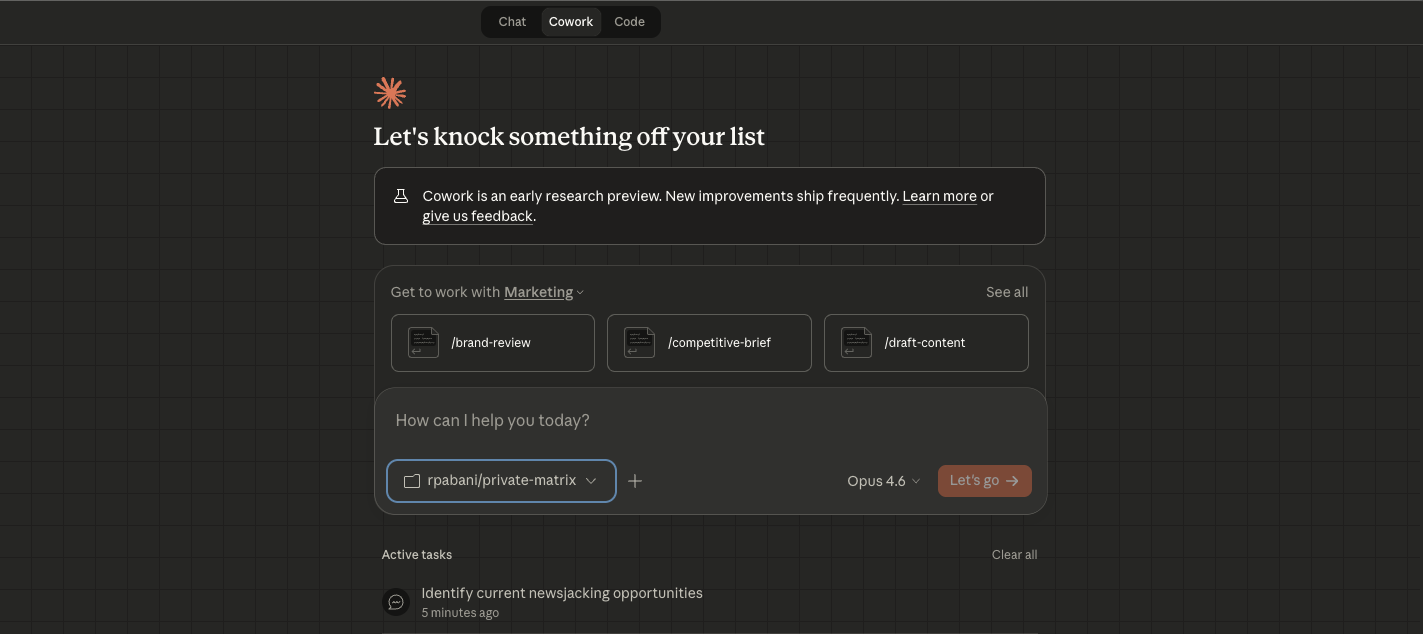
It works in a folder.
You point Cowork at a folder on your computer and it can read, write, and organise files inside it. Not hypothetically — actually. It reads your documents, creates new ones, renames things, builds spreadsheets from scratch. Your folder becomes its workspace.
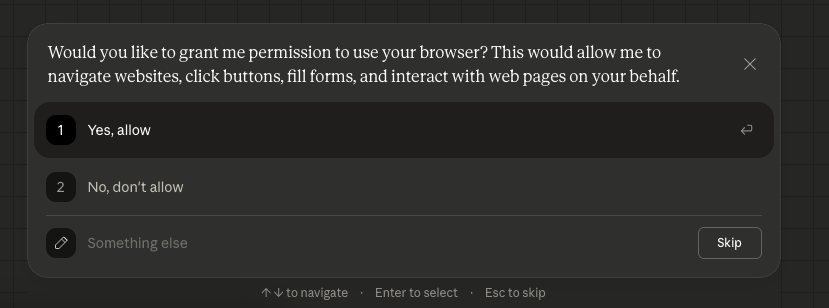
It uses your browser.
This is the part that makes people go quiet. If you're logged into Google Analytics, Search Console, LinkedIn, your email — Cowork can see what you see and interact with it. Click buttons. Read dashboards. Fill forms. Extract data. No APIs. No exports. Just your browser.

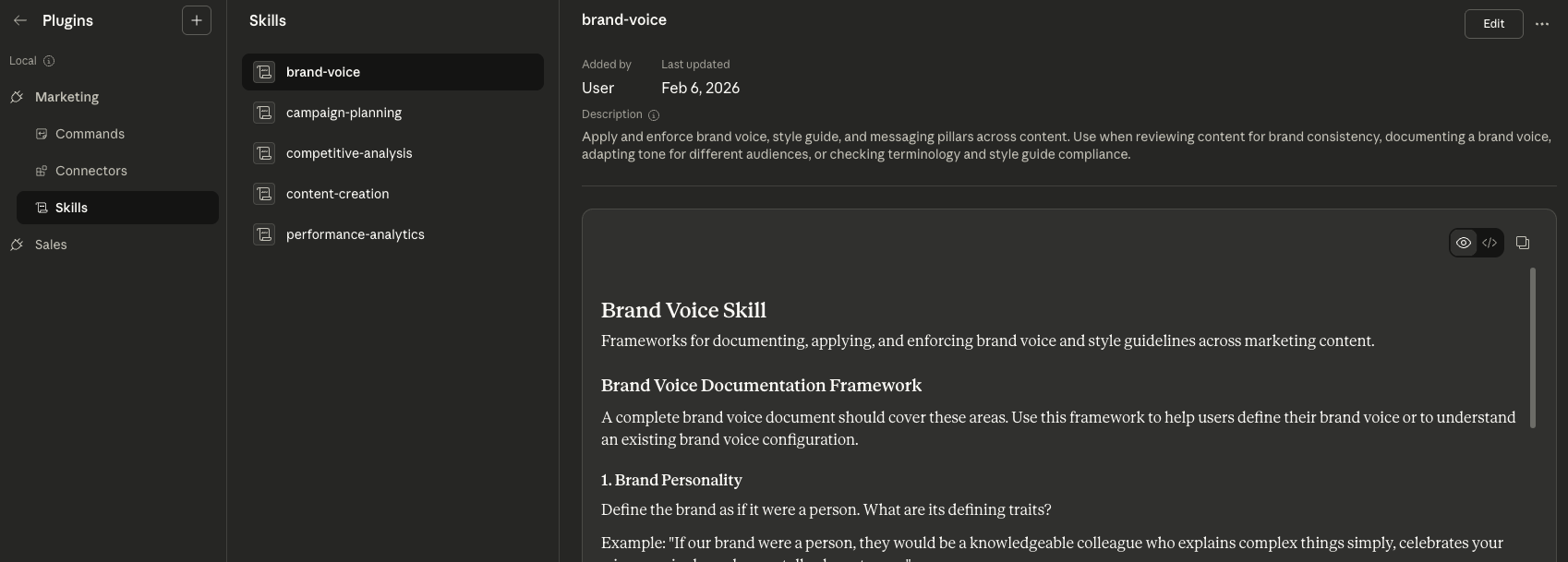
It has skills built in.
Marketing content, competitive analysis, spreadsheets, presentations, PDFs, sales research — all built in. You don't install plugins or configure anything. You describe what you need and it picks the right skill.
It runs in a sandbox.
Unlike some tools (looking at you, OpenClaw), Cowork runs in a lightweight VM on your machine. It can see your folder and your browser. It can't run loose on your operating system. That matters.
What You Can Actually Do With It
Automate Your Admin
Draft emails. Summarise documents. Organise messy folders. Pull data from one place and put it in another. The repetitive work you do every week that makes you want to throw your laptop out the window.
Run Your Content
I use Cowork to manage my entire content pipeline. Research goes into a folder. Cowork picks it up, turns it into tasks in Linear, drafts articles using my voice guide, and builds out my content calendar.
Analyse Anything
Point it at a spreadsheet, a report, a set of documents. Ask it questions. Get answers with actual numbers, not vague summaries. It'll build you charts, find patterns, and flag things you'd miss reading manually.
Build Documents & Presentations
Not "here's some text you can paste into PowerPoint." Actual .pptx files. Actual .xlsx files with formulas and formatting. Actual Word documents with proper structure.
Browser as Research Tool
Check competitors. Pull SEO data. Read dashboards. Compare products. Anything you'd normally do by opening six tabs and switching between them — Cowork does it in one go and gives you a summary.
See It In Action: Product Management with Claude
Here's a real example of Cowork running a product management workflow. The thing to watch for is where the work happens. Claude isn't answering questions in a chat window — it's working inside a folder on the computer, reading and writing the actual files that make up the project.
That folder is the workspace. You point Cowork at a directory — your product specs, tickets, notes, roadmap docs — and everything it does stays scoped to that folder. It reads what's already there for context, creates new documents, updates existing ones, and organises the results back into the same place. Nothing leaks outside it, and nothing you don't point it at is touched. When the session ends, you're left with real files you own, not a conversation you have to copy and paste out of.
What You Walk Away With
- A recording and transcript of everything we covered, searchable and bookmarkable.
- Post-session notes with Cowork tips, your claude.md file, and references to every workflow we built.
- A fully configured Cowork setup with working workflows you can use immediately. Not a default install — a setup that matches your work.
- An open line. After the session, you can message me anytime with questions.
"We don't want to be among the people who lose their jobs because of AI. So we have to embrace it and try to understand it as much as we can."
How the Session Works
We spend 90 minutes on a call — Google Meet or in person, your choice.
Setup
I'll walk you through installing Cowork (if you haven't already), selecting your workspace folder, connecting your browser, and understanding the interface. Takes about 15 minutes.
Build
We pick 2–3 workflows that match your actual work and build them live. You'll watch me do the first one, then you'll drive. By the end you'll know how to describe tasks to Cowork in a way that gets good results — not vague, disappointing ones.
Customise
I'll create your claude.md file — a personalised context file that tells Cowork about you, your business, your preferences, and your rules. This is what turns a generic AI tool into something that feels like it knows you. You keep it. You can edit it. It gets better over time.
Book Your Cowork Session
Who This Is For
- Professionals who've heard about Cowork but haven't set it up yet — or tried and gave up after ten minutes
- Business owners who want AI handling admin, content, and research — but don't know where to start
- People already using ChatGPT or Claude who want to move from chatting to actually getting work done
- Teams who need someone to set up Cowork properly and show them how to use it
- Anyone who read my OpenClaw vs Cowork piece and thought: I want that setup
Why Not Just Figure It Out Yourself?
You can. Some people do. But most people spend hours experimenting, get mediocre results, and conclude it's "not that useful." That's not a Cowork problem — it's a setup problem.
- The difference is the claude.md file. Without one, Cowork is a blank slate. With a good one, it knows your business, your voice, your tools, and your rules. That takes experience to write well.
- The difference is knowing what to ask for. Most people underestimate what Cowork can do. They ask it to summarise a document when it could be running their entire content pipeline.
- The difference is 90 minutes vs. 3 weeks. I spent weeks learning what works. You get the compressed version.
Sessions are 90 minutes, run over Google Meet.
That includes setup, configuration, your personalised claude.md file, and 2–3 built workflows you can use immediately.
Schedule a CallAvailable virtually worldwide or in-person across the UK and Europe.
Not sure if this is right for you? Message me. Tell me what you're trying to do with AI and I'll let you know if a Cowork session makes sense — or if a personal AI training session or a co-build session would be better. You can also read my step-by-step Cowork setup guide.
Frequently Asked Questions
Do I need a Claude subscription to use Cowork?
Yes. Cowork is available on any paid Claude plan — Pro ($20/month), Max ($100 or $200/month), Team, or Enterprise. Pro is enough to get started. The difference is usage limits: Cowork chews through more tokens than regular chat because it's doing real work, not just answering questions. If you hit the ceiling on Pro, Max gives you 5x or 20x more capacity. We can figure out the right plan for you during the session.
Do I need to be technical?
No. Cowork was specifically designed for non-technical people. There's no terminal, no code, no command line. If you can describe what you want in plain English, you can use Cowork. That's the whole point.
What's a claude.md file?
It's a plain text file that lives in your workspace folder. Cowork reads it at the start of every session. It contains context about you — who you are, what you're working on, how you want things done, what rules to follow. Think of it as a briefing document for your AI. The better it is, the better Cowork performs. I'll write yours with you in the session.
What if I already have Cowork installed?
Even better. We skip the installation and spend more time building workflows and writing your claude.md. Most of the value is in the setup and customisation, not the install.
Is this different from a regular training session?
A regular personal AI training session covers the AI landscape broadly — ChatGPT, Claude, Perplexity, image generation, deep research, prompting techniques. A Cowork session goes deep on one tool: Claude Cowork. You leave with it set up and working. If you want breadth, book the training. If you want Cowork specifically, book this.
What if I want to do a co-build AND learn Cowork?
That's two different things — building a specific output vs. learning a tool. But we can mix them. If you want to build something AND set up Cowork in the same session, message me and we'll figure out the right format. Some clients book 2 sessions back-to-back.
Can I get help after the session?
Yes. You get my email. If something breaks or you get stuck, send it over and I'll take a look. I don't do ongoing mentoring at this price, but a follow-up email or two? Of course.