Claude Cowork vs ChatGPT — Which One Does the Work?
By Riz Pabani on 22-Mar-2026

When I ask most people which AI tool they use, they say ChatGPT. When I ask what they use it for, they say "emails, brainstorming, and asking questions." Which is fine. But it's like owning a professional kitchen and only using the microwave.
I've been using both Claude Cowork and ChatGPT daily for months. Not testing them. Using them. For real work: content, research, documents, invoices, client prep. And the honest answer to "which is better?" is: they're good at completely different things.
This isn't a spec sheet comparison. I'll tell you what each one actually does well when you sit down to work, where each one falls short, and which one makes sense depending on what your work looks like.
What ChatGPT is actually good at
ChatGPT has the strongest ecosystem of any AI tool. Nearly a billion weekly users. Most Fortune 500 companies already on it. That scale means more integrations, more third-party tools, and more people who already know how to use it. When I'm working with a client who's never touched AI before, ChatGPT is where I start them. The learning curve is the gentlest.
It's fast. You open it, you type something, you get an answer. The interface is clean, the app works on every device, and GPT-5.4 is a strong general-purpose model. For quick tasks (drafting an email, summarising a document, answering a factual question) it's hard to beat.
The web search is strong. If I need to check a fact, find recent news, or pull together quick research on a topic, ChatGPT gets there faster than Claude. It can browse, pull live data, and give you a decent summary with sources. I use it for this daily.
Image generation is built in and works well. Text rendering on images actually lands. Transparent backgrounds. In-place editing. If your workflow involves creating visual content alongside text, ChatGPT is the only one of the two that does this.
The desktop apps for macOS and Windows are worth mentioning. These are native apps, not browser wrappers. Global shortcuts, better voice input, and context-aware interactions with your screen and files. If you spend most of your day at a computer, the desktop app makes ChatGPT feel like part of your OS rather than another browser tab.
Projects are where ChatGPT gets interesting for serious work. You create a project, upload your files, set custom instructions, and every conversation in that project carries that context. I have one set up for Dreams AI Can Buy where I've loaded my voice guide, strategy docs, and previous posts. It turns ChatGPT from a general-purpose chatbot into something that knows my business and writes in my voice. It's not as deep as Cowork's folder access, but it's the closest ChatGPT gets to persistent context.
And Agent (included on the Plus plan) can browse the web autonomously. Book flights, fill forms, do research across multiple sites. It's impressive when it works. But it's inconsistent. I wouldn't rely on it for anything that matters yet.
What Claude Cowork is actually good at
Cowork is a different animal. It's not a chatbot with extra features. It's an agent that works in your files.
When you open Cowork and point it at a folder, it can read everything in that folder, understand the context, and do real work with it. Not "summarise this PDF" work. Actual work. Build a spreadsheet from raw data. Turn five research documents into a structured report. Reorganise a messy folder of client files. Draft a document that sounds like you, not like a chatbot, because it's read your previous writing.
I use Cowork to run this business. The content calendar, the SEO research, the blog drafts, the data analysis. It all happens in Cowork. I have a scheduled task that runs at 6am every morning, pulling AI news and compiling a briefing. That's not me typing a prompt. That's Cowork running autonomously on a schedule.
The context window is the big technical difference. Claude holds roughly a million tokens in one conversation. That means I can feed it an entire project folder (strategy docs, previous drafts, performance data, voice guides) and it actually uses all of it. ChatGPT's context window has grown, but in practice, Cowork holds more context more reliably across a long session. You notice the difference when you're working on anything complex.
Documents are where Cowork pulls ahead most clearly. It builds proper .docx, .xlsx, and .pdf files. Not "here's some text you can copy." Actual formatted documents with headings, tables, formulas. It produces my invoices for corporate clients. I tell it what I did today, and within minutes I have a properly formatted PDF ready to send. No edits needed. It knows my rate, my company details, the client's details, the format I use. All from context it's already read in my workspace plus a skill I configured for it.
And the sandbox matters more than you'd think. Cowork runs in a contained environment on your machine. Your files stay on your computer. Nothing gets uploaded to a server unless you specifically ask it to use the web. For anyone working with sensitive data (client information, financial documents, internal strategy) that's a real consideration.
Where each one falls short
ChatGPT's biggest weakness for work is depth. It handles quick tasks brilliantly, but it drifts on longer sessions. Mid-conversation, it loses track of what you told it fifteen messages ago. Projects help. The persistent instructions and files give it a foundation. But it's still a chat interface. If your task requires the AI to hold a complex brief in its head across hours of back-and-forth, ChatGPT starts to wobble. You end up re-explaining things.
Its coding ability has historically lagged behind Claude's. OpenAI's models were weaker at writing, debugging, and reasoning about code. GPT-5.4 has closed a lot of that gap, but if you're doing anything code-adjacent (building automations, writing scripts, working with structured data), Claude still has the edge.
Cowork's biggest weakness is speed for simple tasks. If I just want a quick answer to a question, Cowork is slower. It spins up its sandbox, reads the folder, thinks for a bit. For rapid-fire Q&A, ChatGPT wins every time.
Cowork can't generate images. No native image creation at all. If you need visuals, you need ChatGPT or a separate tool.
And the automation, while powerful, has limits. I wanted my scheduled research task to commit files to a git repo and send me the briefing by email. The git auth doesn't persist inside the sandbox. The email drafts it created in Gmail accumulated unsent because it couldn't hit the send button. I've worked around both, but it's a reminder that "agentic" doesn't mean "fully autonomous." Not yet.
Web browsing in Cowork exists but it's clunkier than ChatGPT's. It can use your browser through an extension, but it's not the smooth, integrated search that ChatGPT offers. For research-heavy tasks, I still start in ChatGPT.
The price question
Both cost £20/month at the entry level. ChatGPT Plus and Claude Pro. At that price, you get full access to Cowork and full access to ChatGPT's features including image generation, Projects, and web search.
ChatGPT Pro is £200/month for higher usage limits. Claude Max is £100–200/month for heavier usage. For most people, the £20 tier on either is more than enough.
If you can only afford one, the question is what your work actually looks like.
Which one should you use?
Start with what your work demands.
If your work is mostly quick tasks, emails, brainstorming, and research: ChatGPT is the better starting point. It's faster for lightweight work, the mobile app is excellent, the ecosystem is massive, and the web search is strong. You'll get value from day one without any setup. The network effects are real. Most integrations and third-party tools are built for ChatGPT first.
If your work involves documents, data, files, and longer projects: Cowork is the better starting point. The file access, the context window, and the document generation are meaningfully better for sustained, structured work. If you produce documents, invoices, reports, or spreadsheets as part of your job, Cowork does this better than anything else I've used. But you'll need to spend 30 minutes setting it up properly. Point it at the right folder, write a context file, maybe configure a skill.
If you can afford both: use both. I do. ChatGPT for quick research, image generation, and anything I need done on my phone. Cowork for deep work, document production, and anything that needs to understand my full project context. They don't overlap as much as you'd think.
The real answer, which nobody in the "X vs Y" space wants to say, is that these tools are complementary. Picking between them is like picking between email and a spreadsheet. You can technically do everything in one. But you shouldn't.
The setup gap
Here's the thing most comparisons miss. ChatGPT is better out of the box. You sign up, you start chatting, it works. Even Projects are intuitive. Upload some files, write a few lines of instructions, done. Cowork has a higher ceiling but a steeper ramp. If you open Cowork, type a question, and close it, you've wasted your money. The value comes from setting up context files, configuring your workspace, building skills, and teaching it how you work.
That's the gap I keep seeing. People try Cowork, get generic output because they haven't configured it, and conclude ChatGPT is better. It's not. It's just easier to start with. Cowork unconfigured is a chatbot. Cowork configured is a colleague.
That's why I run training sessions on this stuff. Not because the tools are complicated, but because the gap between "installed it" and "actually using it" is bigger than it should be. Most people don't cross that gap on their own.
If you're not sure which tool fits your work, or you've tried Cowork and it felt underwhelming, book a session. I'll tell you honestly whether training would help or whether you're better off just using ChatGPT.
Riz Pabani is an AI trainer based in London, offering 1:1 and group AI training sessions for individuals and businesses worldwide. About Riz
Related Articles
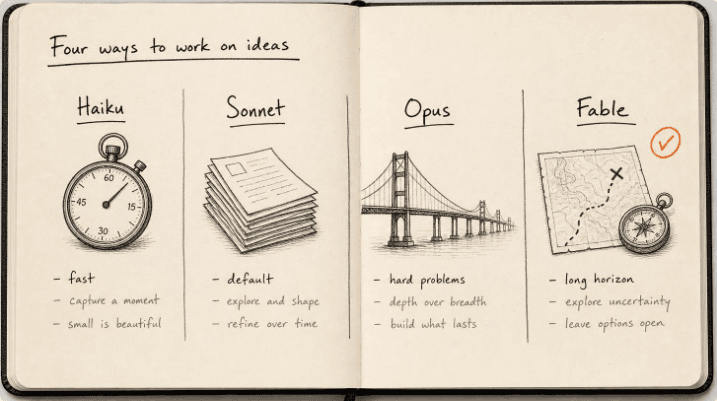
Claude models compared 2026: Fable, Opus, Sonnet, Haiku
The Claude models compared for 2026: what Fable 5.1, Opus 5, Sonnet 5 and Haiku 4.5 each do best, wh...
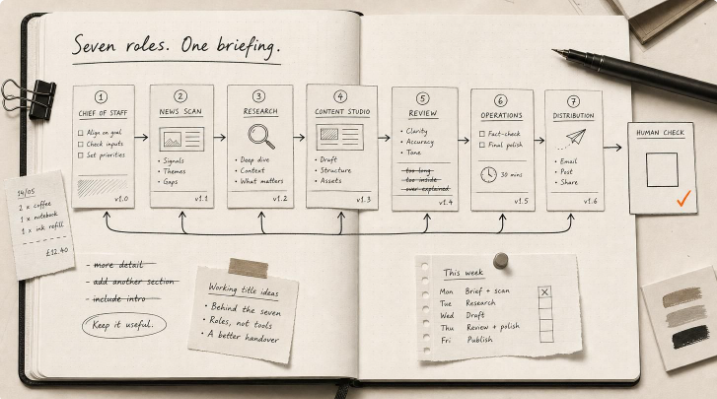
Hermes Agent Bot Mode: how I run a fleet of AI bots
Hermes Agent bot mode: seven AI bots that research, draft and review each other's work, and why none...

How I set up Grok Bot (and what I use it for)
How I set up Grok Bot: a Chief of Staff bot, three specialists, a weekly cadence, and a hard human g...

How I Rank on Google Using Claude Cowork
I'm not an SEO expert. Here's the Claude Cowork workflow Claude and I built to rank on Google — and ...